Weekly Zone 2 minutes from Apple Watch workouts
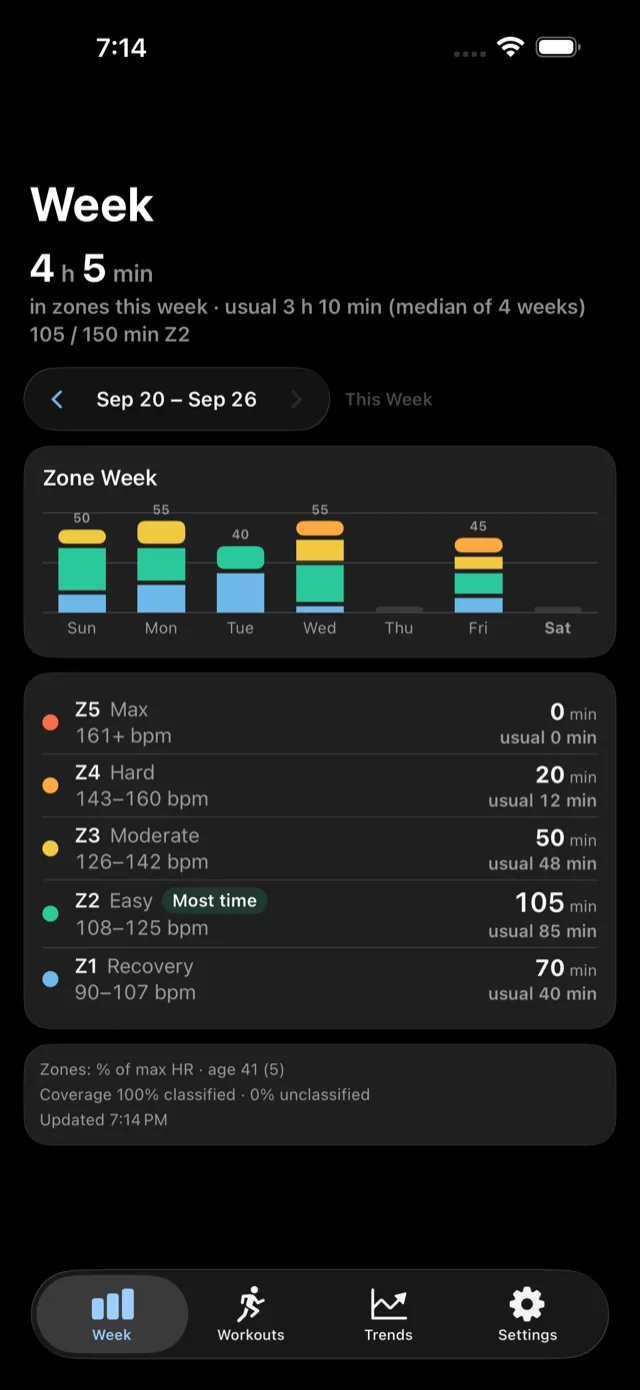
A single workout tells you how that one session went. A week shows how your minutes were distributed across zones — how much Zone 2, how much hard effort, or neither. Just Zones reads every workout's heart-rate samples straight from Apple Health (recorded by Apple Watch or any app that writes heart rate to Health) and adds up the minutes spent in each zone across the whole week, not just per workout.

Weekly zone minutes
The Week screen shows one stacked bar per day of your calendar week (the first day of the week follows your device's calendar and region settings), each split into the minutes that day spent in each zone, plus how the week's zone totals compare to your usual — the median of the same zone across up to four previous complete weeks. It's built entirely from workouts already in Apple Health; there's nothing extra to log.
A free Zone 2 weekly target
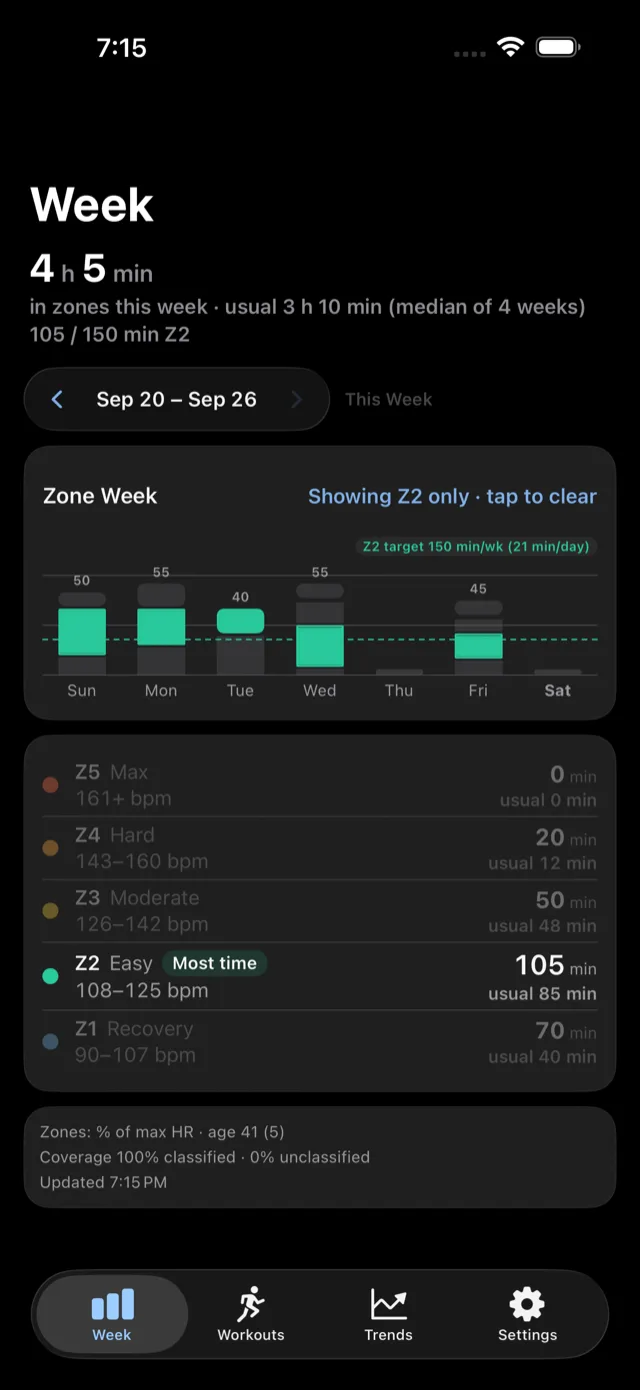
Just Zones lets you set a weekly minutes goal for any zone — Zone 2 is the common one — and shows progress toward it right on the Week screen. Setting and tracking a zone target is free.
Set a weekly target
- Open Settings in the app and find the Weekly target section.
- Turn on Weekly target.
- Pick the zone, for example Z2.
- Enter the minutes per week, for example 150.
The Week screen then shows a fact line under the weekly total, such as 82 / 150 min Z2. While you isolate that zone on the chart, a dotted line marks the target. Turn the toggle off and the target disappears.
Where the minutes come from
Just Zones only assigns a zone to time that has a heart-rate sample from Apple Health to back it up — a workout with gaps in heart-rate coverage contributes less to the week than its full duration. See how zones are calculated for the formulas behind each zone's bounds.
Beyond one week
The free Trends sampler covers the last 30 days; a one-time Pro purchase unlocks weekly and monthly trends, back through your full history, so you can see whether zone time is trending the right way over months, not just the last 7 days.
Just Zones is available now on the App Store.
Still have a question?
See Support, or write to support@guineapigse.space.